REVIEW · SEOUL
Incheon Airport: Traveler SIM & T-money Transportation Card
Book on GetYourGuide →Operated by Roaming Star Inc · Bookable on GetYourGuide
Incheon feels easier with instant data. This setup at Incheon Airport gives you unlimited 4G LTE and a T-money transit card right after you land, with staff help to make sure your phone is actually online. The one catch to plan for: topping up the T-money card can require cash, so don’t assume credit card charging will work.
I like that the process is built for real arrivals—pick a pickup window from 3 days to 2 months, grab everything at the LG U+ counter, and get moving without waiting for tech fixes later. At about $12 per person, the value is strongest if you want constant internet, hotspot access, and an easy way to pay on public transit from day one.
One more thing: the SIM plan covers incoming calls/texts, but not outgoing, so you’ll use apps like messaging and calls over data. Also, your phone needs to work with the network (not carrier-locked), and iPhone 14 models from the US have a special eSIM note.
In This Review
- Key Things to Know Before You Go
- Incheon SIM Pickup: where you go right after customs
- Activation Help: how the staff gets your data working
- Unlimited 4G LTE and Hotspot: staying connected without thinking
- T-money Card for Seoul: transit, convenience stores, and card taxis
- The one thing you must do: charge it first
- Don’t assume credit cards work for top-ups
- Price and Value for a 3-day to 2-month stay
- Where to Go at Incheon: Terminal 1 Gate A vs Terminal 2
- Phone Compatibility Checklist before you leave home
- Cash for Top-Ups and Other Small Practicalities
- Should You Book This Incheon Airport SIM and T-money Combo?
- FAQ
- Where exactly do I pick up the SIM and T-money card at Incheon?
- What does the package include?
- Is there unlimited data?
- Can I make outgoing calls and send texts with it?
- Do I get a T-money card automatically, and do I need to charge it?
- How long is the SIM valid?
- What should I know about phone compatibility?
- Can I top up the T-money card using a credit card?
Key Things to Know Before You Go
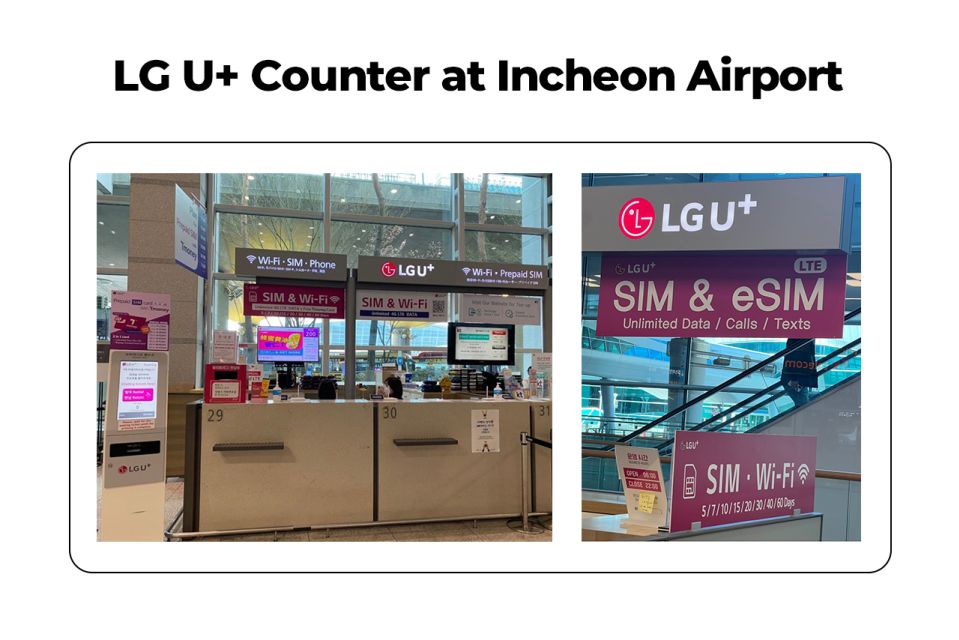
- LG U+ counter pickup at Incheon T1 Gate A (often less busy) or T2 Gate 3–5 area
- Staff-assisted activation to confirm your data is working before you leave the counter
- Unlimited 4G LTE + hotspot usage included for your whole chosen period
- T-money card included for subways, buses, convenience stores, and card-accepting certified taxis (after charging)
- Incoming calls/texts included, but outgoing calls/texts aren’t
- Topping up the T-money card may require cash, not credit cards
Incheon SIM Pickup: where you go right after customs
This is one of those simple travel purchases that saves mental energy. You’re landing at Incheon and, instead of hunting for a SIM shop or hoping your phone connects on its own, you go straight to the LG U+ counter.
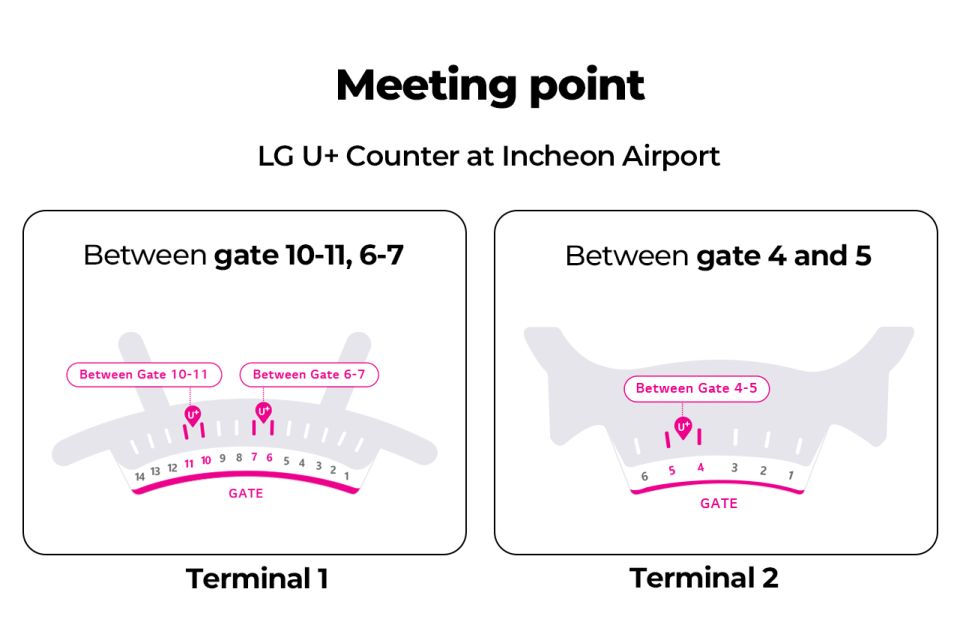
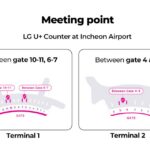
Your meeting point depends on which terminal you arrive at. For Terminal 1, the recommended stop is Gate A (Terminal 1), which is usually less busy. If you’re at Terminal 2, you’re looking around Gate F (Terminal 2), Gate 3–4 / Gate 4–5 area, where the airport has signage for eSIMs/roaming cards.
From the reviews, finding the desk is generally straightforward once you’re through customs, because the area is marked and people know exactly where to walk. Still, give yourself a few extra minutes so you can get a number from the machine and settle in.
You can also read our reviews of more tours and experiences in Seoul.



Activation Help: how the staff gets your data working
The best part here is the counter staff doesn’t just hand you a SIM and wish you luck. They help you activate and confirm your connection so your first hours in Korea feel normal.
You’ll bring your phone and swap to the right SIM type when needed (nano/micro/normal options are listed). Then the greeter at the counter checks your phone is connected to data, and they’ll typically wait while you test it. That matters because the hardest part of airport SIM setups is often not the SIM—it’s the settings, carrier compatibility, and whether data actually starts working.
A few details I think you should take seriously:
- Make sure your phone is set up to accept this kind of service (see compatibility below).
- If you have an older device or you’re unsure about installation, ask them to do it with you at the counter. Reviews show they’re used to swapping SIMs and helping with activation.
- Double-check what you receive before you walk away—there are mentions of people being disappointed when they didn’t get the T-money card they expected, so take 20 seconds to confirm both items are included for your package.
Unlimited 4G LTE and Hotspot: staying connected without thinking
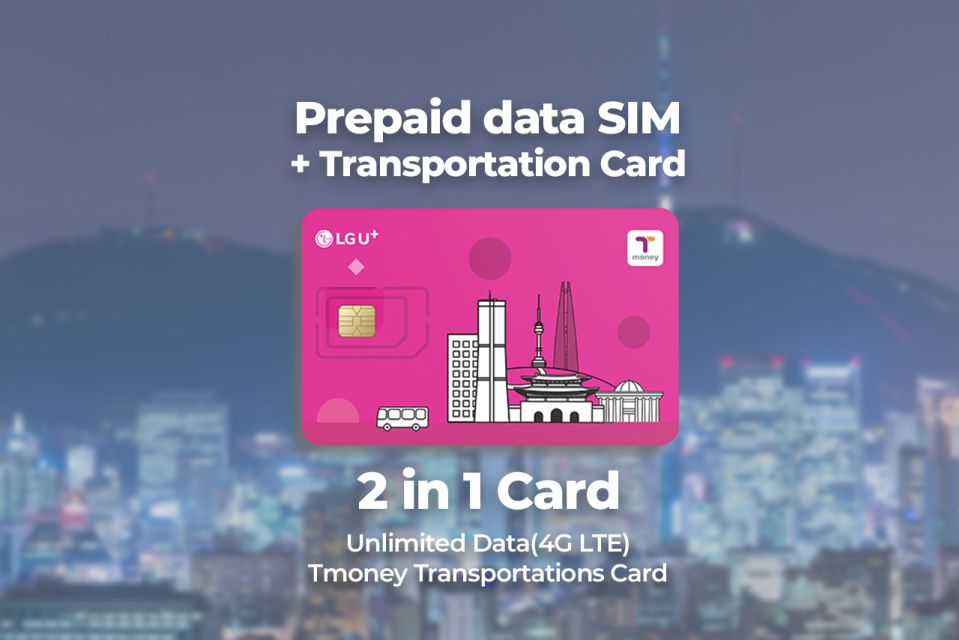
You’re buying peace of mind: you get unlimited 4G LTE data for your chosen period. That means maps, translation, social posting, and quick messages are all far less stressful when you’re not juggling airport Wi‑Fi.
Hotspot usage is included, so if you’re traveling with someone who needs internet or you want to connect a tablet/laptop, you’re covered. Unlimited data plus hotspot is a big deal in a country like South Korea where transit connections and meal plans can change hour to hour.
One practical note: the plan includes hotspot and internet, but it’s not a full calling plan. It includes incoming calls and text messages, not outgoing calls/text messages. So rely on data apps for calling or messaging your people, and treat the included phone number texts/calls as a backup channel.
Also, if your goal is simply staying reachable, this setup does that well. Reviews repeatedly say the internet connection is fast and stable across Korea, not just around Seoul hotspots.
T-money Card for Seoul: transit, convenience stores, and card taxis
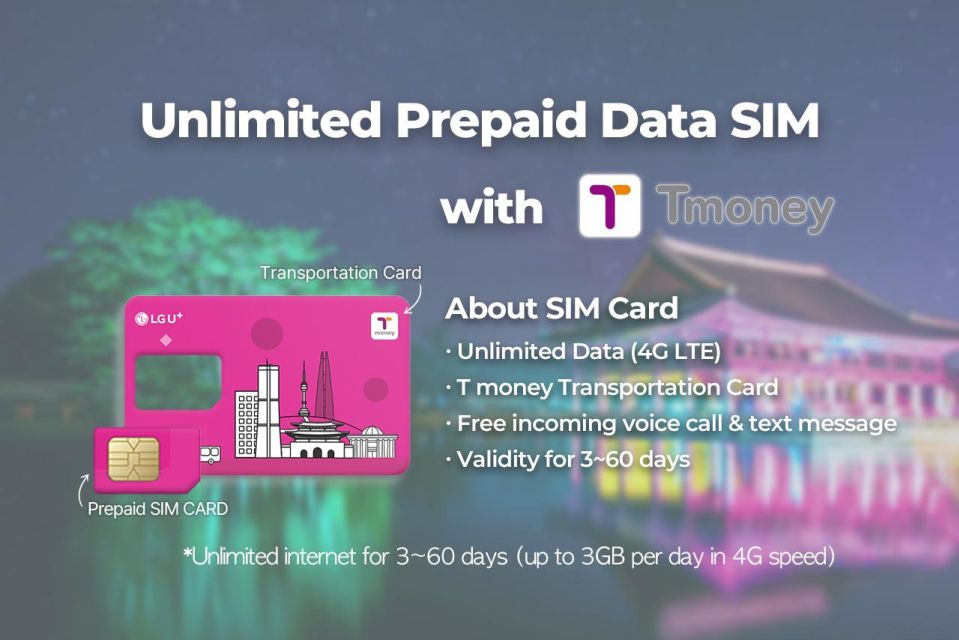
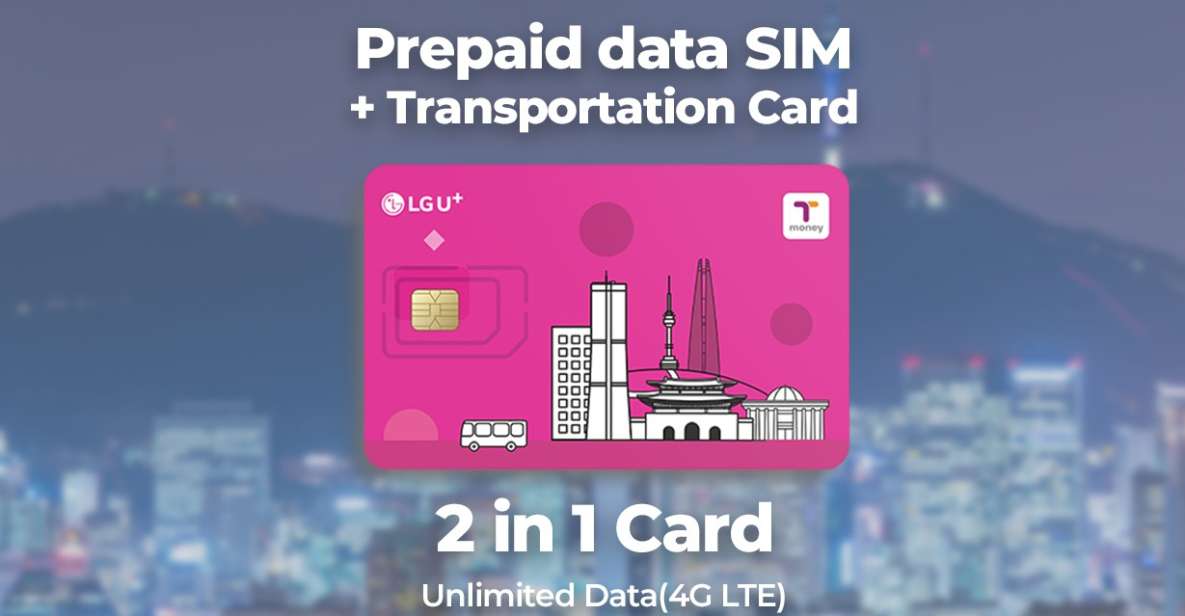
Along with the SIM, you also receive a T-money card. It’s a public transportation card for subways and buses, but the value goes beyond trains.
Once it’s charged, you can use it for:
- Subways and buses
- Purchases at convenience stores
- Certified taxis that accept cards
That last point is worth keeping in mind. Korea has a lot of card-friendly systems, and having a transit card that can work for small payments helps on days when you don’t want to think about separate payment options.
The one thing you must do: charge it first
The info is clear: you need to charge your transportation card before using it. In practice, that means when you pick up the card, plan to top it up quickly before you try to pay for your first ride or convenience store snack.





Don’t assume credit cards work for top-ups
One review flagged a real-world snag: the T-money top-up machine they used didn’t accept credit card charging, so they needed cash. That may not be universal for every machine, but it’s a strong “plan for it anyway” tip. Bring some cash to cover your first reload, and if you want to be extra smart, locate an ATM once you’re in the airport area before you leave.
Price and Value for a 3-day to 2-month stay
The listed price is $12 per person, with options running from 3 days to 2 months. The real question isn’t just the sticker price—it’s how much you’ll use internet and transit.
This package tends to be great value if:
- You plan to use public transit every day (T-money reduces hassle).
- You want dependable mobile data from the moment you land.
- You need hotspot support for another device.
- You don’t want to waste time hunting for SIM options after arrival.
It’s less of a slam dunk if you only need internet occasionally. If you’re mostly relying on hotel Wi‑Fi and rarely need to navigate or post on the go, you might not unlock the full value of unlimited data.
But if you’re the type who reads maps while walking, checks timings for trains, and keeps backup plans ready, unlimited 4G LTE plus T-money is exactly the combo that makes arrival feel smooth.
Where to Go at Incheon: Terminal 1 Gate A vs Terminal 2
If you like being efficient, Terminal choice matters. The pickup instructions recommend Terminal 1 Gate A because it’s less busy, which can shorten your wait and reduce stress.
If you’re routed to Terminal 2 instead, you’ll still be fine—you’re just walking to the LG U+ counter area around Gate F and the Gate 3–4 / Gate 4–5 zone. The desk is designed for arriving passengers, so once you’re past customs and you follow the signs, you shouldn’t feel like you’re navigating a maze.
A helpful tip from the process itself: expect a short “take a number and wait” moment. Reviews mention a small queue and that it’s easy to miss the ticket machine at first, which can cost you a few positions. If you want the fastest path, grab your number immediately once you see the counter area.
Phone Compatibility Checklist before you leave home
This part decides whether the setup is smooth or annoying.
You need your phone to be able to use the service. The activity specifically warns to make sure your phone is fully usable with the provider network, especially for phones from the United States, Canada, Japan, or the Philippines. Translated into travel language: confirm your phone isn’t locked to a carrier.
There’s also an iPhone 14 note. If you purchased an iPhone 14 model in the US, it doesn’t have a physical SIM tray and supports only eSIM. That means you’ll want to be extra careful before you arrive. If your phone is on the eSIM path, you’ll need to follow whatever the counter supports for your device type.
If you’re unsure, bring your phone with you and ask them to check during activation. The greeter is there to make sure data is working, and that’s the moment to solve any compatibility hiccups.
Cash for Top-Ups and Other Small Practicalities
The SIM card part is usually quick. Several reviews describe activation taking just a few minutes, and staff being patient and helpful, including swapping the SIM for the passenger and waiting while the phone is tested.
Here are the practical things you should plan for so nothing slows you down:
- Charge the T-money card before using it. Try to get your first reload done right away.
- Have cash on hand for top-ups in case the machine you use doesn’t accept credit cards.
- Know what’s included: unlimited data and hotspot, plus incoming calls and text messages.
- Outgoing calls/texts aren’t included, so use apps over data.
- There’s a limit: the maximum number of purchases per passport is 3.
- If you’re expecting everything in your bundle, confirm the SIM and T-money are both in your hand at the end of the counter visit.
Also, pay attention to language support. The greeter is listed as speaking English and Korean, which is a big help if you’re explaining your phone model and you want the quickest activation path.
Should You Book This Incheon Airport SIM and T-money Combo?
Book it if you want the easiest possible landing day. This package is made for people who don’t want tech problems on their first morning and who plan to ride Seoul’s subway and bus network right away.
Skip it or reconsider if you:
- Don’t need unlimited data or hotspot
- Only want Wi‑Fi and can fully manage navigation and communication without a local connection
- Are carrying a phone setup you’re unsure about (especially iPhone 14 US models) and you don’t want to spend time sorting that at the airport
If your goal is simple—get online fast and move around Seoul with less friction—this is the kind of pre-arrival setup that pays off immediately.
FAQ
Where exactly do I pick up the SIM and T-money card at Incheon?
The meeting point is the LG U+ Counter at Incheon Airport. Terminal 1 is Gate A (recommended as less busy), and Terminal 2 is Gate F at Gate 3–4 or Gate 4–5.
What does the package include?
It includes an unlimited 4G LTE data SIM card (nano/micro/normal), a public transportation card (T-money) that needs to be charged, hotspot usage, and incoming calls and text messages.
Is there unlimited data?
Yes. The SIM includes unlimited 4G LTE data for the selected travel period.
Can I make outgoing calls and send texts with it?
No. Outgoing calls and outgoing text messages are not included.
Do I get a T-money card automatically, and do I need to charge it?
Yes, you receive the T-money card, and you must charge it before using it.
How long is the SIM valid?
The duration can be chosen from 3 days up to 2 months, based on available starting times.
What should I know about phone compatibility?
Make sure your phone is completely set up to work with the mobile provider you’re using, especially for phones from the United States, Canada, Japan, or the Philippines. Also note the iPhone 14 US models only support eSIM.
Can I top up the T-money card using a credit card?
One review notes the T-money card could not be charged with a credit card at the top-up machine they used, and that cash was needed. It’s smart to plan for cash reloads.